
Delrin 3D Printing: Feasibility, Challenges, and Engineering Alternatives
Can You 3D Print Delrin (POM)?
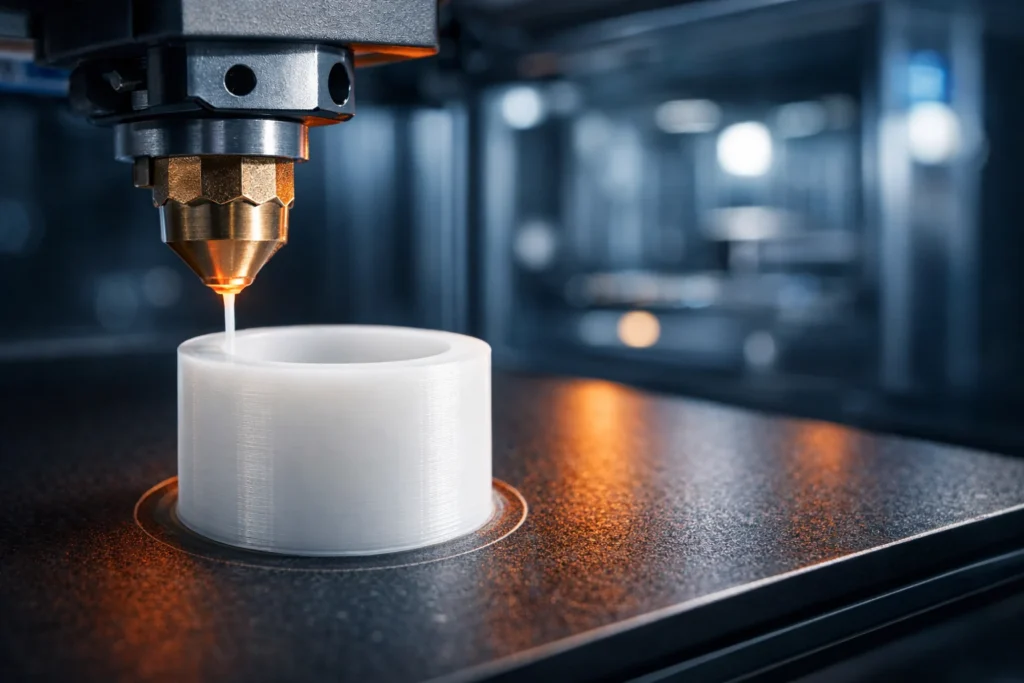
Yes, but it is extremely challenging. Delrin can be FDM 3D printed using an all-metal hotend (210°C–225°C), a high-temperature bed (120°C–150°C), an actively heated chamber (60°C–80°C), and custom cellulose/PVA bed adhesion. Never exceed 230°C to avoid toxic formaldehyde gas release.
Critical Safety Warning: Formaldehyde Gas Hazard
Never exceed 230°C–240°C. When POM is overheated, it undergoes thermal decomposition and releases formaldehyde gas.
- Health Risk: Formaldehyde is a pungent, colorless gas that is a known carcinogen and respiratory irritant.
- Safety Protocol: Always print in a well-ventilated area or use an enclosure with an active carbon filtration system. If you smell a sharp, “chemical” odor, immediately stop the print and ventilate the room.
Why Delrin Is Difficult to 3D Print
High Shrinkage and Warping Behavior
POM has a high degree of crystallinity. As it cools from its melting point, it contracts significantly more than PLA or even ABS. This leads to extreme internal stresses that cause the part to peel off the build plate or distort mid-print.
Poor Layer Adhesion in FDM Printing
Delrin is inherently “slippery” (low surface energy). While this is great for gears, it means the extruded layers struggle to “bite” or bond into each other, often resulting in weak parts that delaminate under stress.
Thermal Stability and Processing Temperature
The window for success is narrow. You must stay above the melting point (~175°C) for flow but strictly below the decomposition point (~230°C) to prevent toxic off-gassing.
Filament and Printer Requirements for Delrin 3D Printing
To successfully print Delrin (POM), standard hobbyist setups are insufficient. You need a high-thermal-energy environment to counteract the material’s extreme crystallinity and shrinkage.
Top POM Filament Brands: Where to Buy
Most generic “acetal” filaments are Copolymer (POM-C). For the genuine DuPont Delrin experience (Homopolymer), it is critical to understand the chemical differences in Delrin vs Acetal before purchasing. For verified high-performance sources, consider:
- Gizmo Dorks POM: The most reliable “prosumer” choice; widely available on Amazon/eBay. Excellent for mechanical prototypes.
- Ensinger (TECAFORM): Industrial-grade POM-C filament. Best for high-wear functional parts requiring chemical resistance.
- DuPont licensed resins: Seek manufacturers (like Push Plastic or specialized industrial suppliers) that explicitly state they use DuPont Delrin 8500 or 100 series resins for the highest mechanical properties.
POM Filament Availability and Material Forms
- Diameters: Standard 1.75mm and 2.85mm spools.
- Types:
- POM-C (Copolymer): More common in 3D printing; slightly more stable and resistant to thermal degradation.
- POM-H (Homopolymer/Delrin): Higher crystalline content; stiffer and stronger but significantly harder to print without warping.
- Colors: Primarily available in Natural (Opaque White) and Black. Specialized colors are rare due to the chemical difficulty of pigmenting POM.
Required 3D Printer Specifications
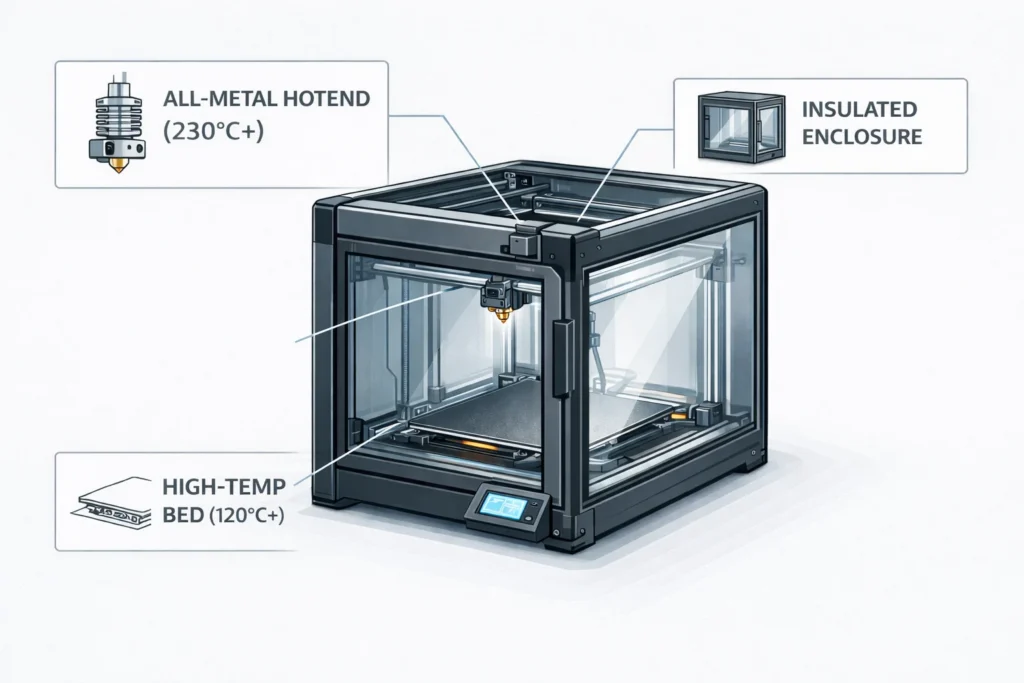
Your printer must meet these three non-negotiable hardware standards:
- All-Metal Hotend: Essential to maintain a stable 210°C–230°C. PTFE-lined hotends can off-gas toxins if they degrade at these temperatures.
- High-Temp Heated Bed: Must reach and hold 110°C–130°C consistently. Standard magnetic beds often lose magnetism or fail at these temperatures.
- Direct Drive Extruder: While Bowden can work, the “slippery” nature of POM filament can lead to feeding issues. A Direct Drive setup provides the necessary torque for consistent extrusion.
Bed Adhesion and Enclosure Requirements
The Enclosure is Mandatory. Without an actively heated or highly insulated chamber, Delrin will warp within the first 10 layers.
- Chamber Temp: Aim for an internal ambient temperature of 60°C–80°C. This slows the cooling rate of the plastic, reducing internal stress.
- Surface Prep: Forget PEI, glass, or blue tape. POM has a low surface energy and will only adhere to:
- Wood/Cellulose: MDF, plywood, or heavy cardstock.
- POM Sheets: A thin sheet of Delrin (Acetal) bolted to the bed is the only “permanent” solution.
- Specialized Adhesives: Products like Magigoo POM are specifically formulated for this polymer.
Recommended Print Settings for Delrin (POM)
Printing Delrin requires a “high-heat, low-airflow” strategy. Unlike PLA, which thrives on rapid cooling, POM must be kept in a near-molten state as long as possible to prevent the polymer chains from snapping into a warped crystalline structure.
Nozzle Temperature and Bed Temperature
Success with POM lives in a narrow 15-degree window.
- Nozzle Temperature:210°C – 225°C.
- Expert Warning: Do not exceed 230°C. At 235°C+, the polymer backbone breaks down, releasing formaldehyde gas. If your hotend thermistor is uncalibrated, stay at 215°C to play it safe.
- Bed Temperature:120°C – 150°C.
- You are not just heating the surface; you are creating a radiant heat zone. Set the bed to 130°C and let it “heat soak” for 15 minutes before hitting ‘Start’ to ensure the entire build volume is stabilized.
Print Speed and Cooling Control
- Print Speed:20 mm/s – 30 mm/s.
- Time is Money Tip: While slow, this speed is mandatory. Delrin is “self-lubricating” even in liquid form; if you print too fast, the nozzle will simply “slide” over the previous layer without creating a thermal weld, leading to weak parts.
- Cooling Fan:Strictly 0% (OFF).
- Even a 5% fan speed will trigger immediate differential cooling, causing the part to curl off the bed like a potato chip. Ensure your “Auto Cooling” settings in Cura or PrusaSlicer are disabled.
Build Surface Preparation and Adhesion Methods
Standard adhesives (glue sticks, hairspray) are chemically incompatible with POM’s low surface energy. You must use a “Mechanical Lock” or a specialized interface.
- The Cellulose Bond: Apply a layer of heavy-duty wood glue (PVA) diluted with 10% water onto a glass bed. The organic fibers in the glue provide a “anchor” for the POM.
- Perforated Boards: Some industrial users prefer a FR4 (Garolite) sheet that has been lightly scuffed with 80-grit sandpaper to create microscopic hooks for the plastic.
Pro Tips: Unconventional Bed Adhesion Hacks
These three “hacks” are the difference between an A+ masterwork and a failed glob of plastic:
- The “Sacrificial Raft” (Paper): Glue a piece of uncoated cardstock directly to the bed. The POM will penetrate the paper fibers. After printing, you simply sand the paper off the bottom of your part.
- The Soldering Iron “Tack”: For large prints, manually “tack” the corners of your 3D-printed brim to the build surface using a drop of superglue or a low-temp soldering iron once the first layer is down.
- The “Double Brim”: Set your slicer to a 20-line brim with 0.0mm separation. A wide, thick foundation is the only way to counteract the massive leverage forces of a shrinking Delrin part.
Why Delrin Parts Are Usually Machined Instead of 3D Printed
In professional engineering, machining Delrin via CNC is the industry standard for producing high-tolerance parts. While 3D printing is evolving, it currently cannot compete with the physical properties and precision of subtractive manufacturing for this specific polymer.
Precision and Dimensional Stability
- The Tolerance Gap: CNC machining holds tolerances of ±0.025mm (0.001″). 3D printed POM parts suffer from post-print shrinkage of 2%–3% as the polymer fully crystallizes over 24 hours, making high-precision fits (like bearing seats) nearly impossible to hit.
- Thermal Stress: Machining uses pre-stabilised, stress-relieved rods or plates. 3D printing introduces new thermal stresses with every layer, leading to “banana-ing” (bowing) in parts longer than 50mm.
Surface Finish and Mechanical Strength
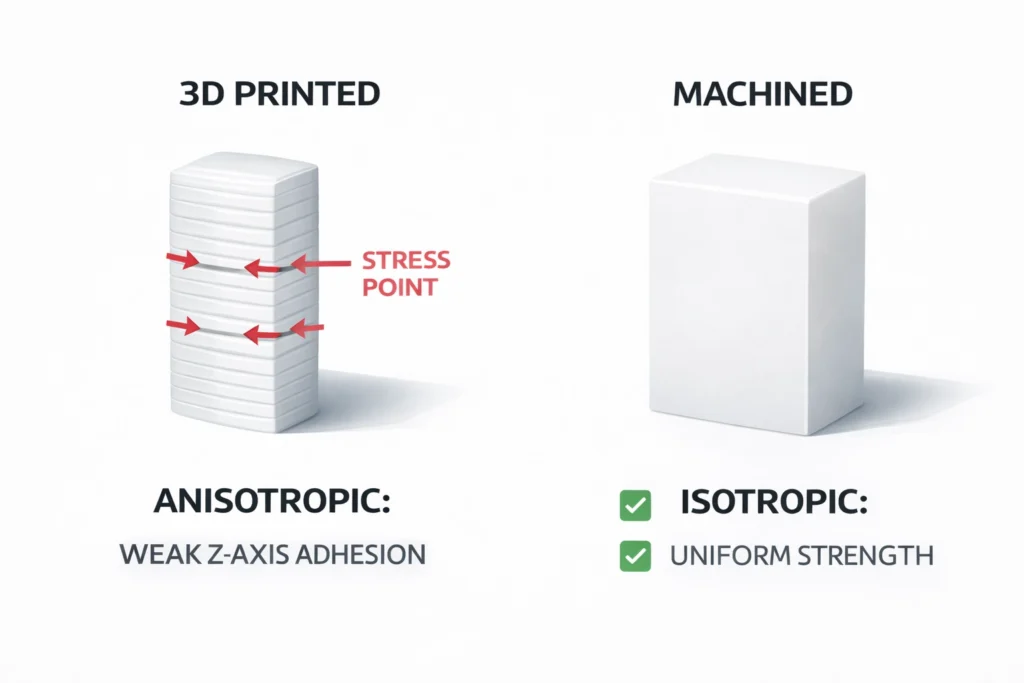
- Isotropic vs. Anisotropic: Machined Delrin is isotropic it has uniform strength in all directions. 3D printed Delrin is anisotropic; it is notoriously weak along the Z-axis (layer lines), where the “slippery” nature of the plastic prevents a deep molecular weld.
- The Friction Paradox: Delrin is chosen for its low friction. However, the stair-step texture of a 3D print creates mechanical resistance and noise. A machined surface is glassy and smooth, allowing for the true “self-lubricating” performance the material is famous for.
Cost and Production Considerations
- The “Time is Money” Rule: A complex POM 3D print has a high failure rate (50%+ due to warping). In a professional setting, it is often cheaper to pay for 30 minutes of CNC lathe time than to tie up a 3D printer for 12 hours on a part that may peel off the bed at 90% completion.
- Material Economy: To prevent warping, 3D printed POM requires massive rafts and brims that can consume 30%–50% of the total filament. CNC machining from standard-sized rods is often more material-efficient for simple geometries like spacers, bushings, and gears.
Applications Where Delrin 3D Printing May Be Used
- Custom Low-Friction Jigs & Fixtures:
Ideal for assembly line aids that must slide against other plastic or metal parts without marring the surface or requiring external grease. - Small-Scale Mechanical Prototypes:
Used for testing the fit and “feel” of snap-fit joints, small gears, and sliding mechanisms before committing to expensive injection molding or multi-axis machining. - Fuel and Chemical-Resistant Components:
Since Delrin is nearly inert to hydrocarbons, it is used for custom spacers, seals, and specialized connectors in automotive or industrial fluid-handling systems where PETG or PLA would degrade. - Non-Conductive Wear Pads:
Perfect for electrical applications requiring high dielectric strength combined with the ability to withstand constant abrasive sliding. - Marine Hardware Prototypes:
Delrin’s near-zero water absorption makes 3D-printed POM superior to Nylon for parts that must maintain dimensional stability in submerged or high-humidity environments.
Time-Saving Check: If your part is larger than 100mm in any dimension or has a large flat footprint, avoid 3D printing. These geometries are mathematically prone to warping. Stick to small, dense, or cylindrical parts for the best success rate.
Alternatives to Delrin for 3D Printing
While Delrin is unparalleled for low-friction engineering parts, its printing difficulty often outweighs its benefits for FDM users. Selecting the right alternative depends on which specific property, lubricity, strength, or chemical resistance is most critical for your application.
Quick Comparison: POM vs. Nylon vs. PETG
| Feature | Delrin (POM) | Nylon (PA12) | PETG |
| Print Difficulty | Extreme (High Warp) | Moderate (Moisture Sensitive) | Easy / Moderate |
| Low Friction | Best in Class | Excellent | Average |
| Wear Resistance | Excellent | Very High | Moderate |
| Bed Adhesion | Very Poor | Moderate | Excellent |
| Primary Use Case | Gears, Bearings, Bushings | Hinges, Latches, Tools | Housings, Prototypes |
Nylon (PA12) as a Functional Alternative
Nylon (Polyamide) is the closest “drop-in” 1:1 replacement for Delrin in functional 3D printing. For a deeper technical breakdown of mechanical properties, see our detailed guide on Delrin vs Nylon.
- Performance Match: PA12 offers a similarly low friction coefficient and high fatigue resistance.
- Why choose it: Unlike Delrin, Nylon is widely optimized for 3D printing. It offers superior layer adhesion and impact resistance.
- Pro-Tip: If warping is your main concern, use Carbon Fiber (CF) or Glass Fiber (GF) reinforced Nylon (e.g., PA6-CF). These additives significantly improve dimensional stability and stiffness.
- The Catch: Nylon is highly hygroscopic; you must dry it before printing to prevent surface defects and weak bonds.
PETG for Ease of Printing
If your part doesn’t require extreme wear resistance but needs better durability than standard PLA, PETG is the “safe” middle ground.
- Ease of Use: PETG prints without an enclosure, has minimal warping, and offers excellent bed adhesion.
- Performance Gap: It is not as “slippery” as Delrin. However, it is chemically stable and handles higher temperatures than PLA.
- Best Use Case: Brackets, housings, and light-duty mechanical jigs where ease of production is the “time is money” priority.
Specialized Self-Lubricating Filaments (Igus Iglidur)
For specialized requirements where Nylon or PETG fall short, consider these advanced options:
- Essentium HTN (High-Temperature Nylon): Specifically engineered as a Delrin replacement for FDM. It features best-in-class moisture resistance and the highest wear performance among nylons.
- Polycarbonate (PC): Choose PC if you need the highest impact strength and heat resistance (up to 110°C+). It is tougher than Delrin but requires a fully enclosed, high-temp printer.
- Igus Iglidur (i150/i180): A niche engineering filament with embedded solid lubricants. If you need Delrin for its “self-lubricating” properties in bearings or gears, this is the superior 3D printable choice.
Frequently Asked Questions
Is Delrin suitable for FDM 3D printing?
Delrin (POM) is suitable only for advanced FDM users with high-temperature equipment. Due to its extreme warping (2-3% shrinkage) and poor bed adhesion, it is considered one of the most difficult engineering thermoplastics to print successfully. It is not recommended for open-frame or entry-level printers.
What temperature is required to print Delrin?
The optimal nozzle temperature for Delrin is 210°C to 225°C. The heated bed must be set between 120°C and 150°C.
Critical Safety Note: Do not exceed 230°C, as POM begins thermal decomposition, releasing toxic formaldehyde gas.
Why does Delrin warp during printing?
Delrin warps because it is a semi-crystalline polymer. As it transitions from a molten state to a solid, the polymer chains pack together tightly, causing significant volumetric contraction. Without a heated enclosure and extreme bed heat, this contraction pulls the corners of the part upward, causing it to detaching from the build plate.
What materials can replace Delrin in 3D printing?
The best functional alternatives to Delrin are Nylon (PA12) for low friction and toughness, or Igus Iglidur filaments for self-lubricating bearings. If ease of printing is the priority, PETG offers decent chemical resistance and dimensional stability without the extreme warping issues of POM.

Usama is the founder of PlasticSpec and a materials researcher specialising in engineering thermoplastics. He publishes machining parameters, material property data, and selection guides for Delrin, Nylon, PEEK, PTFE, UHMW, Polycarbonate, and ABS.